A CLI for everything you've read.
Search, read, and organize your Readwise and Reader data. Works with Claude Code, Codex, OpenClaw, or any AI agent.
Install
Two commands. That's it. Login opens your browser for OAuth.
npm install -g @readwise/cli
readwise login

# Or, for scripts and headless agents
# get your access token from readwise.io/access_token then:
# readwise login-with-token <your-access-token>
Your agent (Claude Code, Codex, OpenClaw, etc.) can now use the readwise command, and discover everything it can do with readwise --help.
What You Can Do
Every word of every article, book, PDF, podcast, newsletter, and highlight you've ever saved, semantically indexed and searchable. Use these directly, pipe to other tools, or let your AI agent use them for you.
# Search your Reader library
readwise reader-search-documents --query "aggregation theory"

# Read a saved document (returns Markdown)
readwise reader-get-document-details --document-id <id>

# Save a URL to Reader
readwise reader-create-document --url "https://example.com/article"

# Check your inbox
readwise reader-list-documents --location new

# Move documents to archive, later, or shortlist
readwise reader-move-documents --document-ids <id>,<id> --location archive

# Search your Readwise highlights
readwise readwise-search-highlights --vector-search-term "compounding"

# Create a highlight
readwise reader-create-highlight --document-id <id> --text "The key insight is..."

# Tag and organize documents
readwise reader-add-tags-to-document --document-id <id> --tags "ai,research"

# Get today's daily review
readwise readwise-get-daily-review

# Export your entire library as Markdown
readwise reader-export-documents
Skills
Pre-built workflows your AI agent can run. Install them with one command:
npx @readwise/cli skills install claude| Skill | What it does |
|---|---|
| Triage | AI walks you through your inbox one article at a time, telling you what's worth your time and why |
| Feed Catchup | Skim your Reader feed in batches — RSS, newsletters, Twitter digests — pull out the gems, mark the rest as seen |
| Quiz | Test yourself on something you just read — graded like a smart colleague who also read the piece |
| Now Reading | Generate a "What I'm Reading" webpage from your library — host it on your personal site |
All Commands
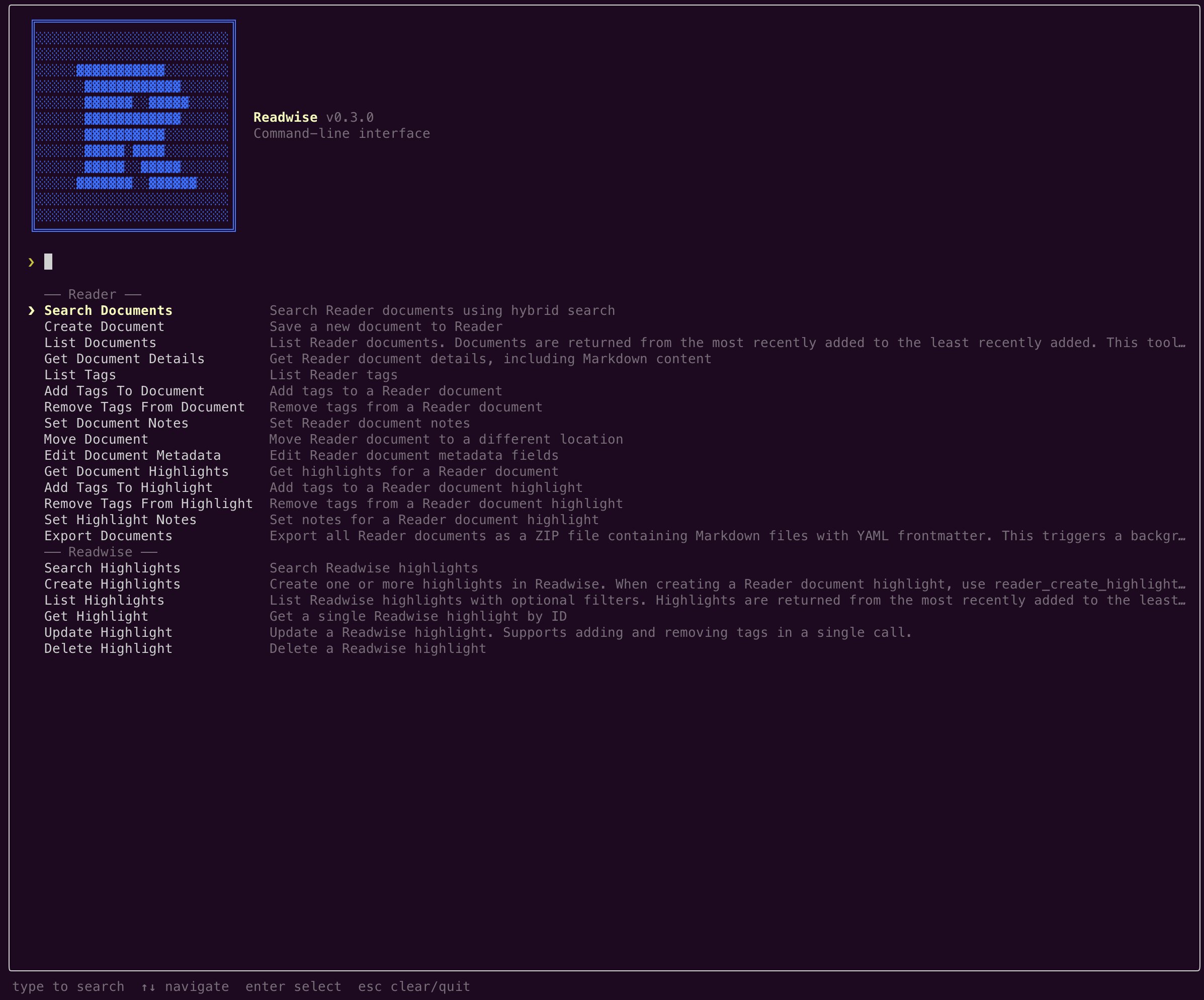
The full set of commands exposed by the CLI. Run readwise <command> --help for arguments and examples, or readwise --help to list everything from the terminal.
| Command | What it does |
|---|---|
| Readwise highlights | |
| readwise-search-highlights | Search your Readwise highlights with hybrid (vector + full-text) search. |
| readwise-list-highlights | List highlights newest-first with optional filters (book, tag, date range, etc.). |
| readwise-create-highlights | Create one or more highlights, optionally attached to a book or article. |
| readwise-update-highlight | Update a highlight's text, note, location, or tags. |
| readwise-delete-highlight | Delete a Readwise highlight. |
| readwise-get-daily-review | Get today's daily review of highlights selected by spaced repetition. |
| Reader documents | |
| reader-search-documents | Search your Reader library with hybrid search across full document text. |
| reader-list-documents | List Reader documents newest-first, filtered by location, category, or tag. |
| reader-create-document | Save a new URL or HTML/text document to Reader. |
| reader-get-document-details | Fetch a document's metadata and full Markdown content. |
| reader-move-documents | Move documents between locations (inbox, later, shortlist, archive, feed). |
| reader-bulk-edit-document-metadata | Edit metadata fields (title, author, category, etc.) for up to 50 documents at a time. |
| reader-export-documents | Trigger an export of all Reader documents as a ZIP of Markdown files. |
| reader-get-export-documents-status | Poll a Reader export for status and a download URL once complete. |
| Reader tags | |
| reader-list-tags | List all tags in your Reader library. |
| reader-add-tags-to-document | Add one or more tags to a Reader document. |
| reader-remove-tags-from-document | Remove tags from a Reader document. |
| Reader highlights | |
| reader-get-document-highlights | Get all highlights for a Reader document. |
| reader-create-highlight | Create a new highlight on a document by specifying the exact text. |
| reader-add-tags-to-highlight | Add tags to a Reader document highlight. |
| reader-remove-tags-from-highlight | Remove tags from a Reader document highlight. |
| reader-set-highlight-notes | Set the note attached to a Reader document highlight. |
Looking for MCP?
Using Claude Desktop, ChatGPT, or another AI app? Connect Readwise via MCP — no terminal needed.