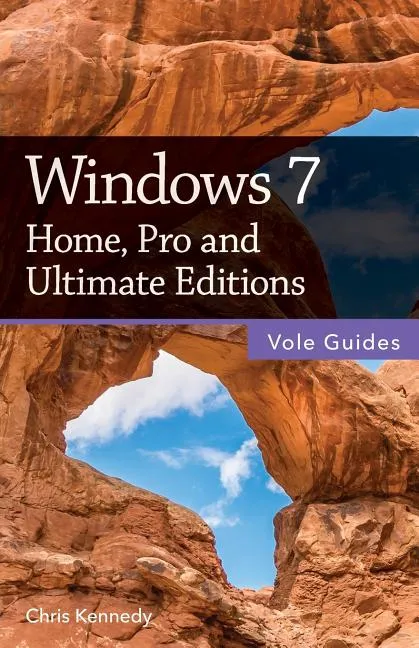
Windows 7
Report an issue
Tell us what's wrong and we'll take a look.
Thanks – we got it. We'll review and follow up if needed.
Perfect for new and longtime PC users, this no-fluff guide to Windows 7 is packed with details on system settings, the desktop, applications, and utilities. You'll also find step-by-step instructions for printing, scanning, networking, sharing, troubleshooting, and going online. Upgraders will find details on setup, installation, and switching from earlier Windows versions. Keyboard mavens will find keyboard shortcuts throughout the book.
New features covered include the redesigned taskbar, jump lists, window-management shortcuts, federated search, libraries, desktop gadgets, Devices and Printers, and homegroups.
- Covers the Home, Professional, and Ultimate editions of Windows 7.
- See full-sized previews of open documents, folders, and websites.
- Use Snap, Peek, and Shake to juggle all your open windows.
- Pin programs, documents, and folders for one-click access.
- Get instant search results for documents, pictures, music, email, programs, settings, and more.
- Share files and printers on your home network.
- Connect to wireless networks with a few clicks.
- Manage your phones, devices, and printers in a single window.
- Plenty of tips, tricks, and timesavers.
Contents
1. Windows Basics
2. The Desktop
3. Personalizing Windows
4. Files, Folders, and Drives
5. Programs and Documents
6. Printing and Faxing
7. Hardware and Drivers
8. Networks and Sharing
9. Online Connections
10. Security and Privacy
11. Maintenance and Troubleshooting
12. Installing Windows
About the Author
Chris Kennedy is a developer and technical writer based in Boulder, Colorado. When he's not typing, Chris climbs rocks, revises his screenplays, and reads the journals of polar explorers.
Chris Kennedy
A Webster Award winner and three-time Dragon Award finalist, Chris Kennedy is a Science Fiction/Fantasy author, speaker, military veteran, and small-press publisher who has written over 30 books and published more than 200 others. He lives in Coinjock, North Carolina, with his wife, and is the holder of a doctorate in educational leadership and master's degrees in both business and public administration.
More by Chris Kennedy













Why Readwise Books?
Readwise Books is an ebook & audiobook platform that automatically logs how much you and your friends read, making it fun and easy to read more. Learn more →