Working on an Xcode project with Cursor/VSCode
Length: • 5 mins
Annotated by AJ Ram

Member-only story
A few tips for questions people keep asking me


Published in
5 min readFeb 7, 2025
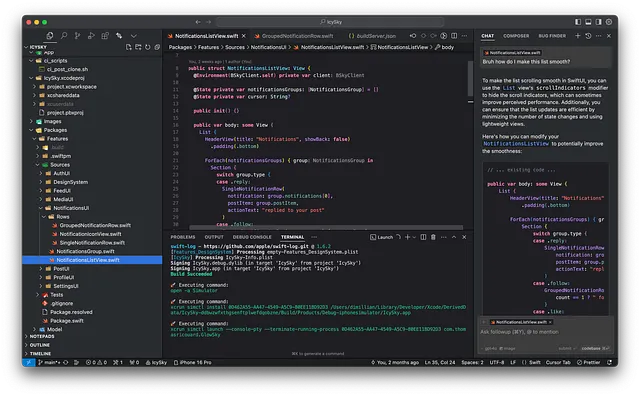
If you’re not living under a rock, you might be aware that it’s possible to have a good workflow for working with an Xcode project without Xcode now. You can also improve your efficiency and throughput with an AI-assisted code editor like Cursor or VSCode with Copilot. You don’t have to wait for Swift Assist anymore!
How to use Cursor for iOS development
dimillian.medium.com
1. When I add files in Cursor they’re not added in Xcode
I have good and bad news for you. Xcode manages its own files and project structure within the .xcodeproj file. Usually, when you add a file within the Xcode UI, Xcode will create the file, but this is not sufficient. Xcode will also edit the .xcodeproj to add the file to the correct group, which will correctly link it to your target and show it in the UI.
Thankfully there are a few workarounds that:
1. You should switch to buildable folders. What are they? Wel,l basically... just folder, like any regular editor, Xcode will now simply read the folder from your drive and list and compile all the files within this folder.
I wrote about it already, there is all you need to know in this story for you to switch and use those folders.
2. If you’re working with a legacy project or can’t switch to buildable folders, you should work with Swift Packages. Swift Package by design work just like buildable folders. Swift simply build everything in their source directory. So you have no problem and you don’t need Xcode when editing the file structure in an external editor.
2. I can’t command-click to jump to definition, and my completion is broken
I’ve been asked that a lot, and it’s probably because you missed part of the setup. One of the most important parts is to setup Xcode build server correctly. Once you have Cursor and the Sweetpad extension installed, you need to hit CMD+SHIFT+P and select “generate build server config”.

This might take a while but it’ll save and open a buildServer.json file for you.
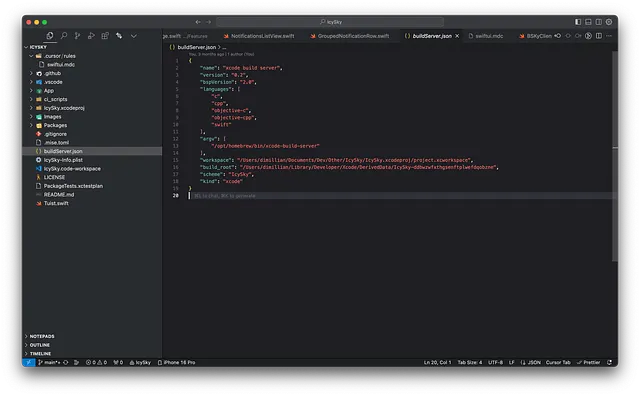
Once this is done, you can use Sweetpad to build and run your project at least once

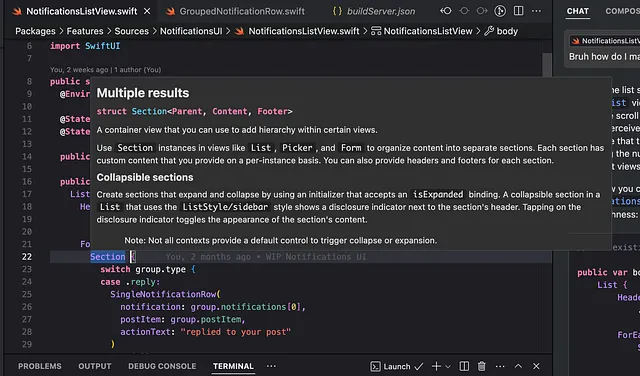
And now completion and cmd+click should work just fine, just like in Xcode!
3. The composer/chat is not giving me good results
This is a skill in itself. You have to learn how to ask the AI to do what you want. The gist is to give as much context as possible and as much guidance as possible. For iOS/Swift/SwiftUI projects specifically, I have to admit that the AI will always be better with a project already set up. Letting the composer set up whole parts of the project for you might not be that good. But if you’re working with an existing project, Cursor keeps an index and will use your current structure and coding style as a hint.
The tab autocomplete model is also very good at picking up what you’re doing to continue from it.
But there is another trick: rules! Cursor supports project rules, and this is guidance that Cursor will use for every prompt.
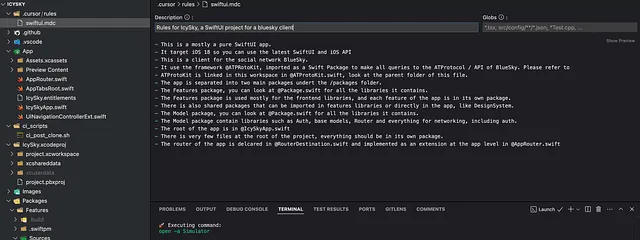
But mostly, it’s a skill you’ll build as you work with AI. Prompt engineering is not a bullshit skill at all.
4. How to reference code/files from third-party packages in the composer/chat
This is where the workspace (like with Xcode) enters!
With Cursor you can reference files in the chat/composer using the @. This is very useful for giving context to the prompt and asking about multiple files.
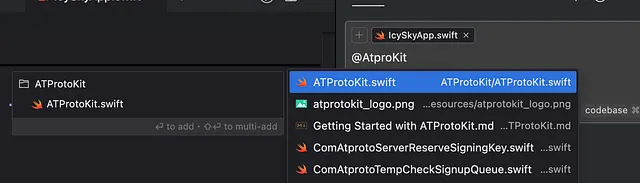
It’s easy to reference any files in your project, but what if you want to reference other files? Like the one from your third-party Swift Packages/dependencies.
Well, for that, you should reference them in your workspace.
You can use Files->Add Folder to Workspace, it’ll save a workspace for you (that you should open from now on instead of just opening your folder). And from there you can add any folder you want. It’ll not be compiled or anything but just referenced in your workspace
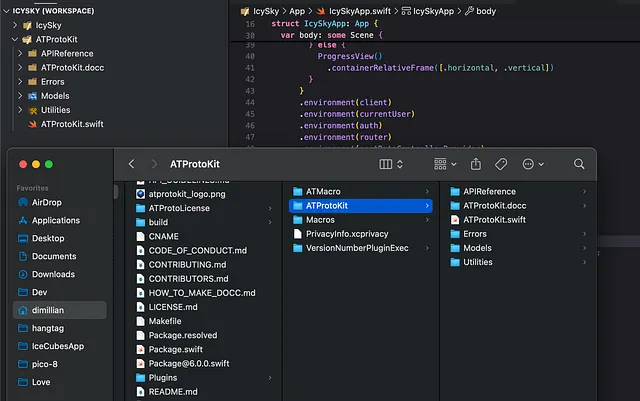
For example, your cloned Swift Packages dependencies are in your project-derived data SourcePackages/checkouts/
You could also add your whole derived data folder to your workspace but it might be too big and too busy for your index.
5. Xcodebuild is slow to build & launch my app
Well, this is the one I can’t do much for you. xcodebuild will always be slower than building from the Xcode UI because of the way it’s designed. But also, there is some bugs in it that make it really slower than it should be. You can read the details here:
I hope those tips helped you to be more efficient with Cursor and let me know if you have more questions!
Happy coding 🚀
Responses (4)
Also publish to my profile

Author
Thankfully there are a few workarounds that:
Let me know if you need more info

If you need file/folder management in VSCode while keeping your Xcode project synchronized, try to use this extension: https://marketplace.visualstudio.com/items?itemName=viktorproduction.xcode-integration

We need some thing similar for zed. i tried my best but still having issues with metal files
More from Thomas Ricouard and Level Up Coding


How to use Cursor for iOS development
Oct 22, 2024

Some content could not be imported from the original document. View content ↗
In
by
2d ago

Some content could not be imported from the original document. View content ↗
In
by
2d ago

Oct 24, 2024
Recommended from Medium


In
by
Feb 6
How to use Cursor for iOS development
Oct 22, 2024
Lists


General Coding Knowledge
20 stories1912 saves


Coding & Development
11 stories1007 saves


Generative AI Recommended Reading
52 stories1653 saves


What is ChatGPT?
9 stories508 saves


Debugging SwiftUI’s Entry Macro
The new way isn’t quite like the old way. And that was a problem.
Feb 5


In
by
Feb 7

Some content could not be imported from the original document. View content ↗
In
by
Feb 5

Some content could not be imported from the original document. View content ↗
Feb 2